How to Activate Windows with a Product Key
Once you've installed Windows 10 or 11, activating it with your license key ensures your system is genuine, fully functional, and eligible for updates. Here's how to do it in just a few simple steps.
Once you've installed Windows 10 or 11, activating it with your license key ensures your system is genuine, fully functional, and eligible for updates. Here's how to do it in just a few simple steps.
🔐 What You’ll Need
A valid Windows product key (sent via email from The Software Kings)
An internet connection
Windows 10 or 11 already installed
✅ Activation Steps
🪟 Step 1: Open the Activation Settings
Click the Start Menu
Go to Settings > System > Activation
If Windows is not yet activated, you'll see a message prompting you to activate
🔑 Step 2: Enter Your Product Key
Click “Change product key”
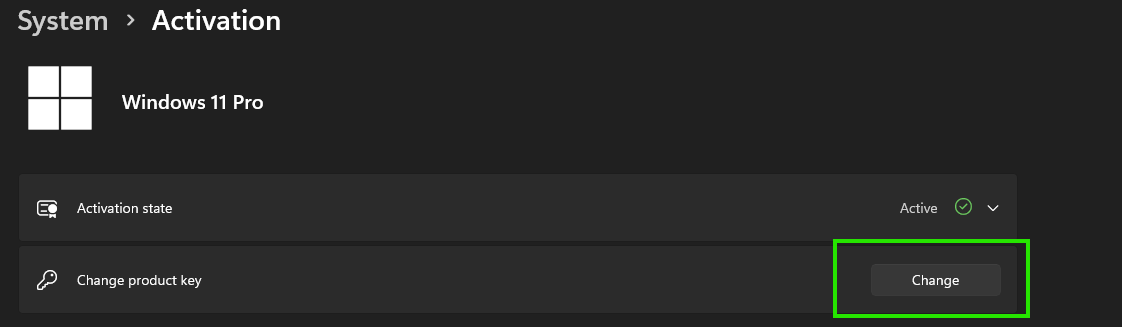
Enter the 25-character code you received from us
Click Next, then Activate
🧠 Make sure your device is connected to the internet.
✅ What You Should See
Once activated, the status under Activation will change to:
“Windows is activated with a digital license”
or
“Windows is activated with a digital license linked to your Microsoft account”
🧩 Troubleshooting Tips
Upgrading from Home to Pro?
You can find a full guide here:
👉 How to Upgrade from Windows to Pro Version